 Manage Noppe workspace
- Summary
- This tutorial will show you how to create, modify and delete a workspace in Noppe.
- Internet
- https://noppe.csc.fi
flowchart LR
    A(Log in to<br>noppe.csc.fi) --> B(Select Manage workspaces)
    B --> C{Add<br>or<br>modify}
    C -->|Add| D(Click 'create workspace')
    C -->|Modify| E(Select info tab)
    D --> F(Fill in information and duration)
    F --> C
    E --> H{Modify<br>or<br>delete}
    H -->|Modify| I(Modify and save)
    H -->|Delete| J(Delete and confirm)
Prerequisites
- An existing CSC account. Note: Haka login will not work when creating workspaces.
 Procedure
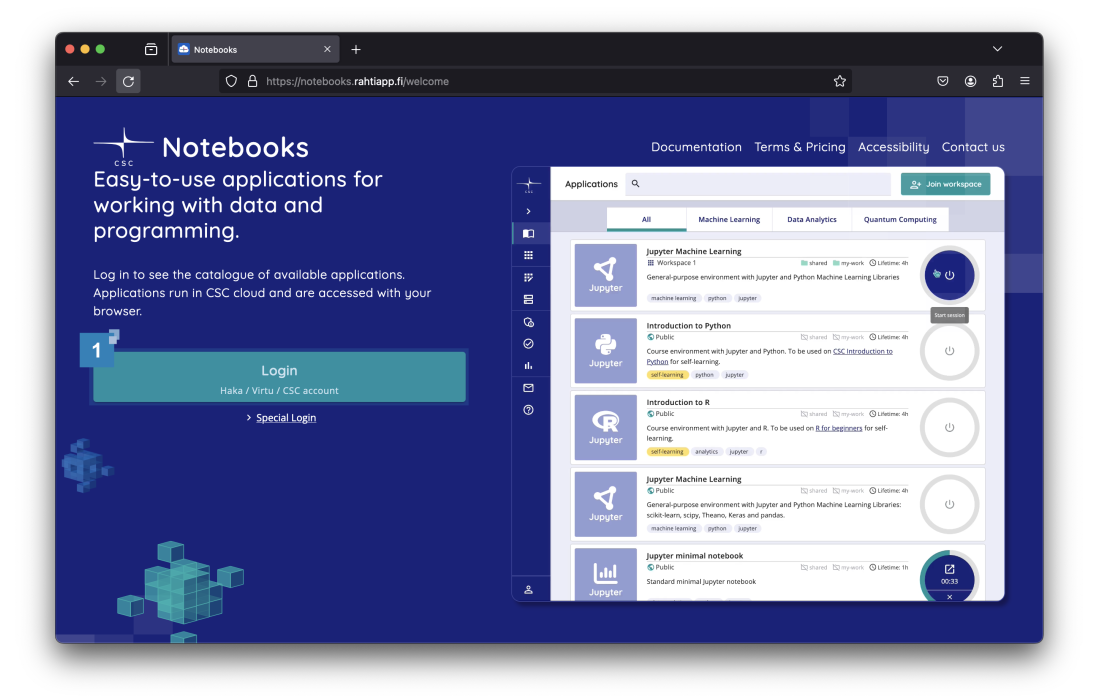
Visit the website https://notebooks.rahtiapp.fi. Click the 'Login'  button.
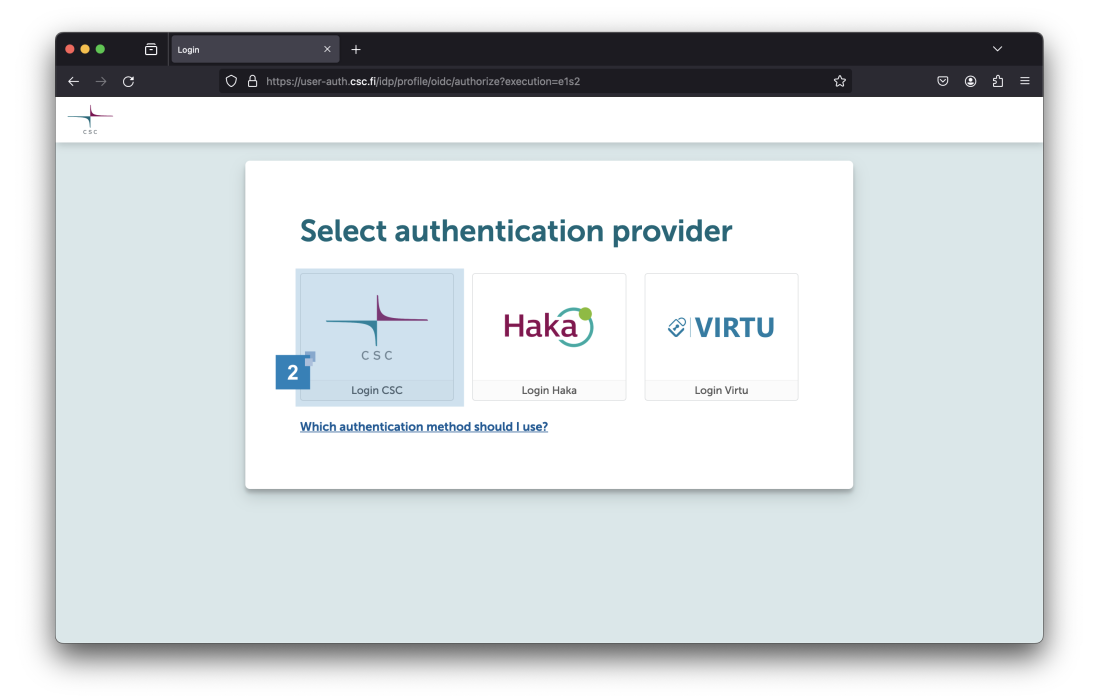
Select the appropriate login  method.
Info
A CSC account must be used to be able to manage workspaces.
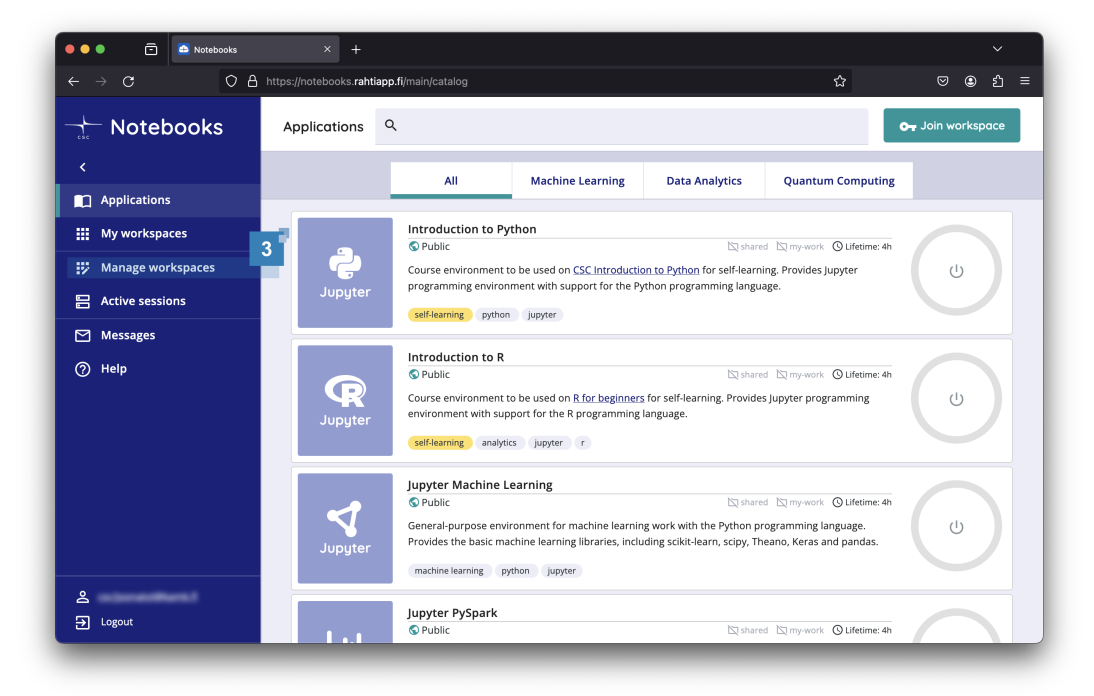
Select 'Manage workspaces'  from the menu on the left of the page.
Note
If the 'Manage workspaces' option is not available, log out and log in again using the CSC account method (instead of Haka).
And if the problem still persists, please contact servicedesk@csc.fi.
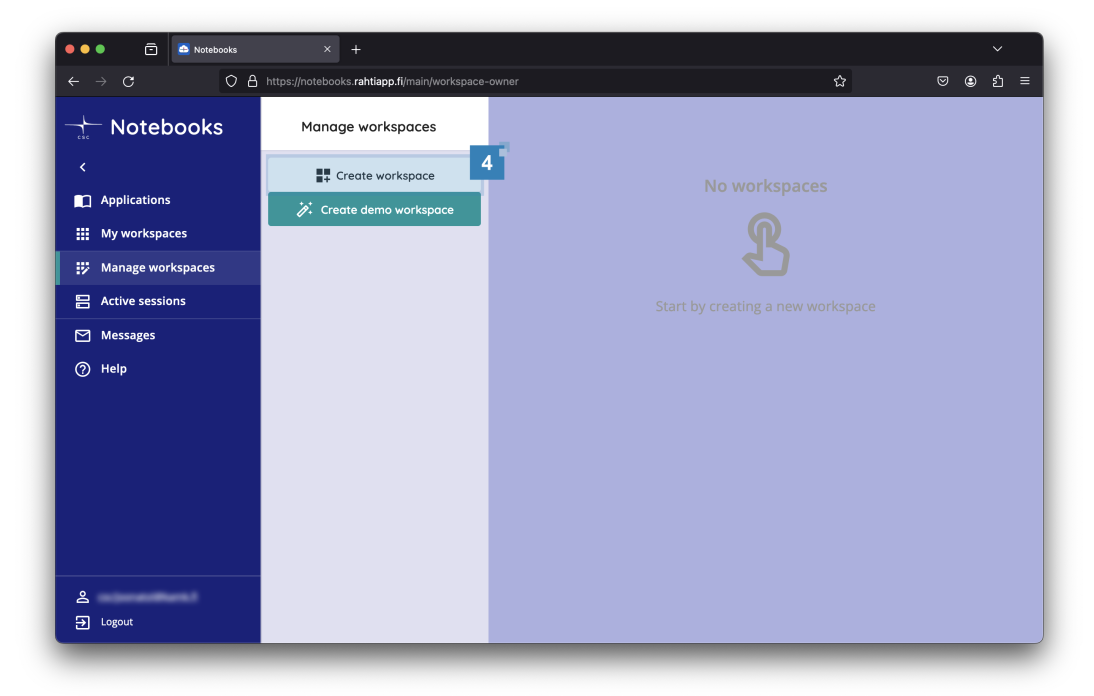
Click the 'Create workspace'  button.
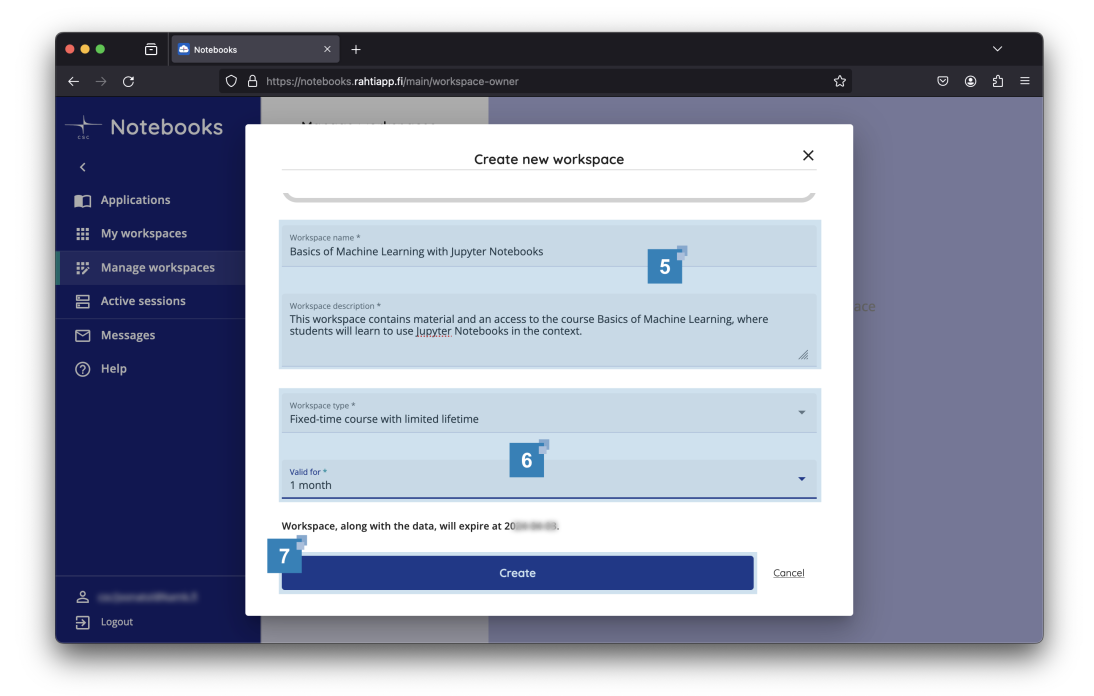
Fill in the basic information  about the workspace. Define how long
  the workspace will be needed. Click the Create
  button to create the workspace.
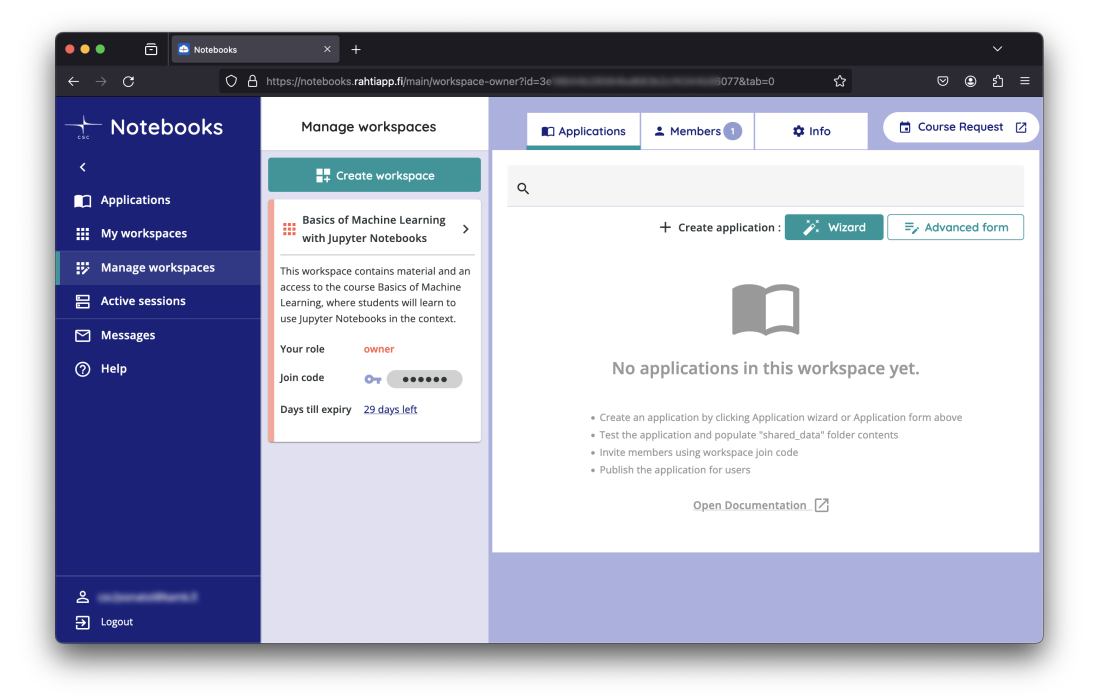
That's it!
You have successfully created a workspace.
Note
You can have a maximum of five simultaneous workspaces.
Modify and Delete
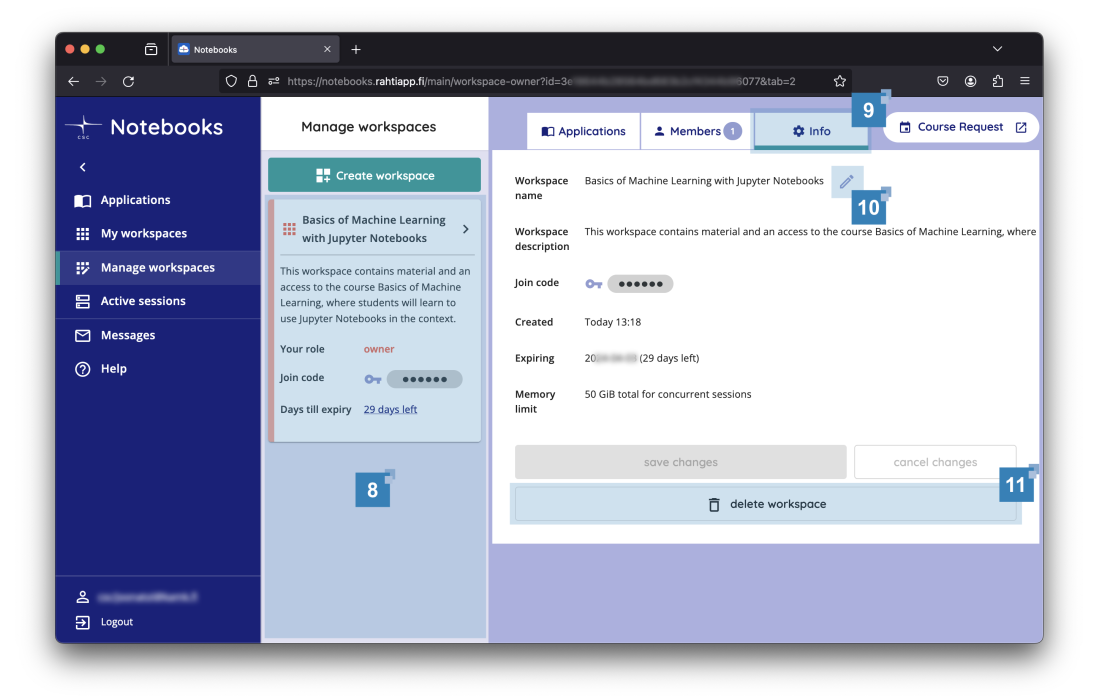
If you have multiple workspaces, make sure you select the correct one from the list  .
.
Click the ' Info'  tab.
tab.
The workspace name and description can be updated by clicking on the icon  .
.
Note
In case of modifying course instead of deleting it - remember to save your changes using the 'save changes' button.
To delete the workspace, click the ' delete workspace' button.
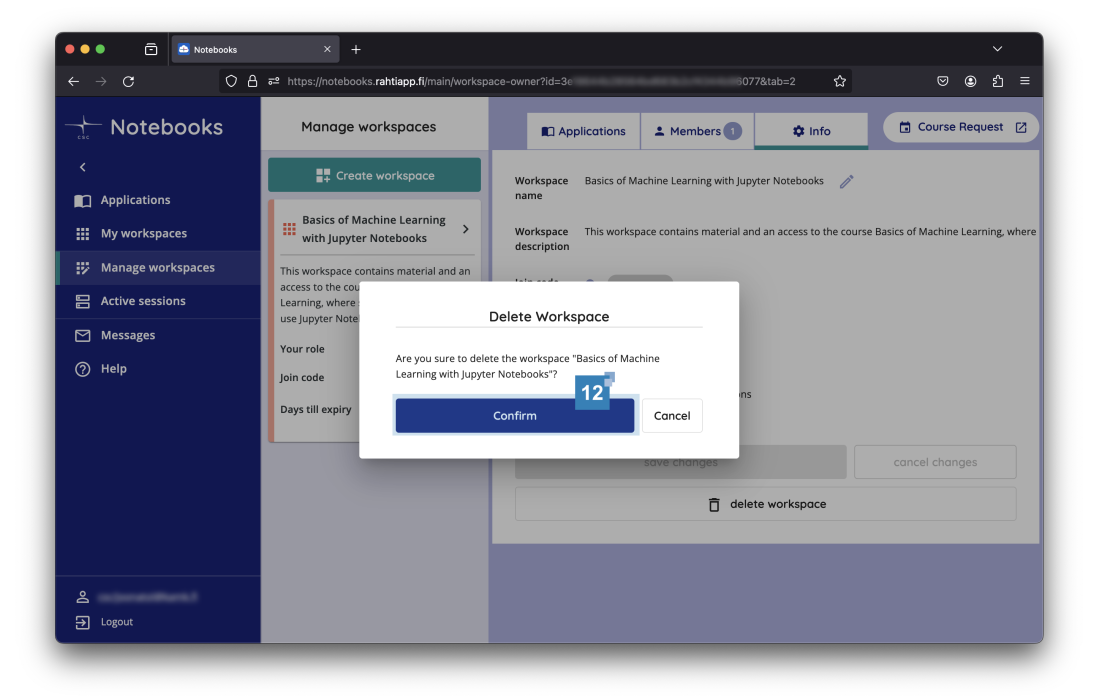
Confirm the deletion.
That's it!
You have now deleted your workspace.
Further Learning
Here are some suggestions for what to read next: