 Estimate resource consumption with Billing Unit Calculator
- Summary
- This tutorial shows you how to use the Billing Unit Calculator on the research.csc.fi website to estimate the Billing Unit usage in your project.
- Internet
- https://my.csc.fi/buc (no login required)
flowchart LR
    A[Open BU calculator] --> B[Select service]
    B --> C[Fill in Job /<br>Storage / configuration<br>resource need]
    C --> D[Add to estimates]
    D --> E{Estimate<br>another<br>service}
    E -->|Yes| B
    E -->|No| F[View / Send<br>estimates to email]
Prerequisites
- No prerequisites
 Procedure
Go to the Billing Unit Calculator web page.
Select the Service  you want to evaluate.
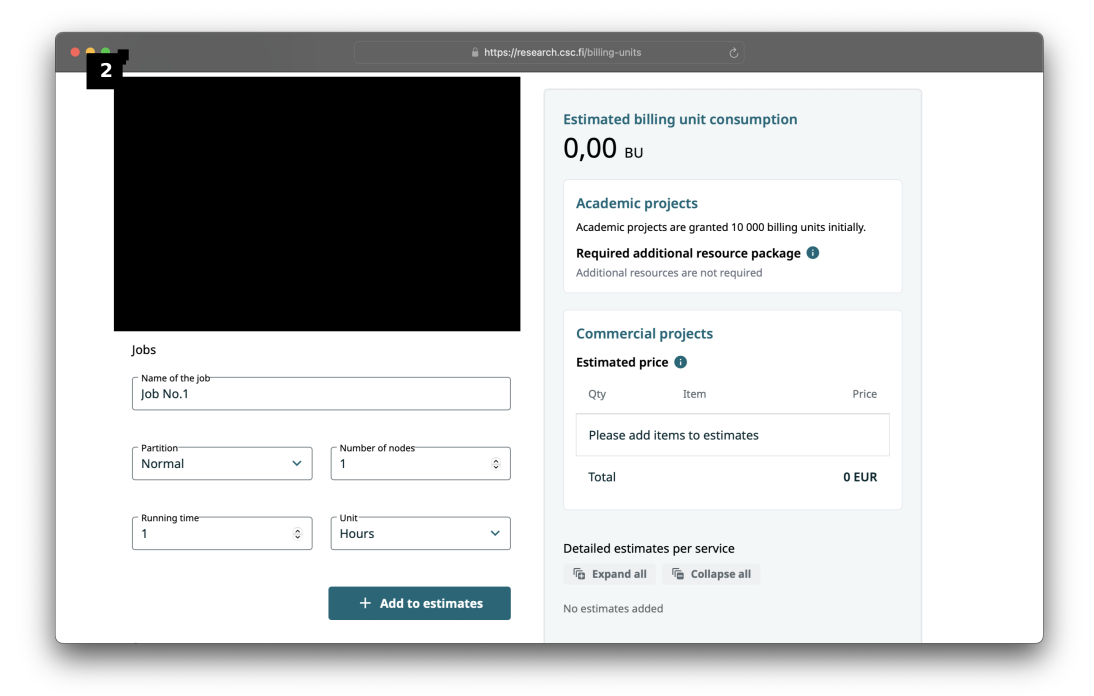
Let us select cPouta  service and category of standard flavors
  as an example.
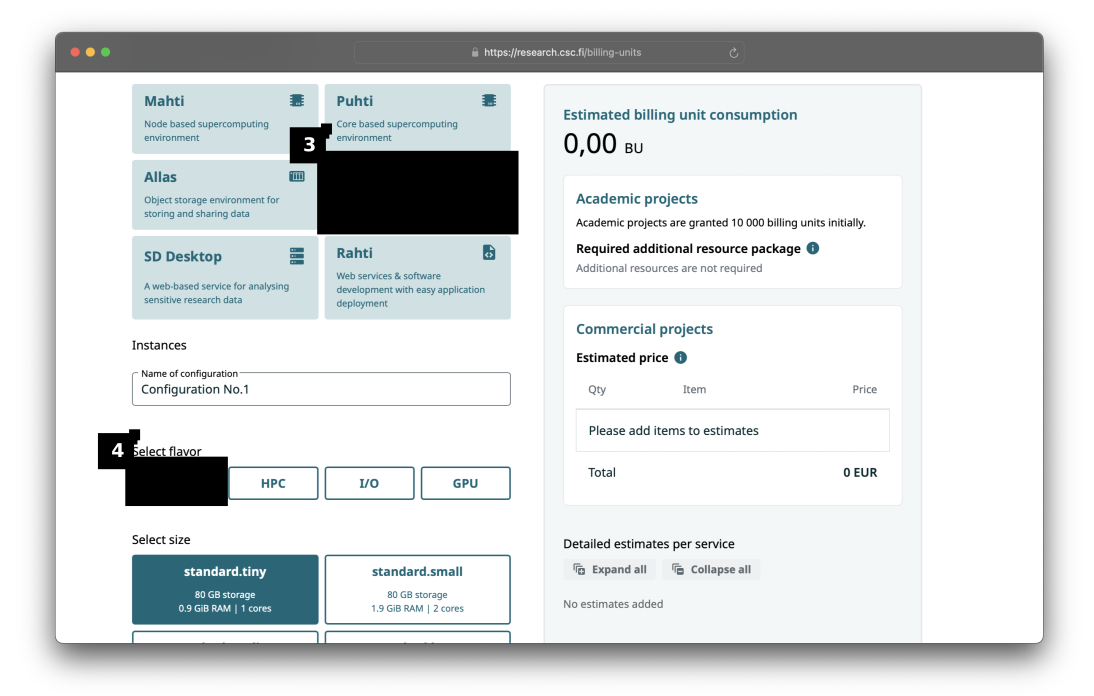
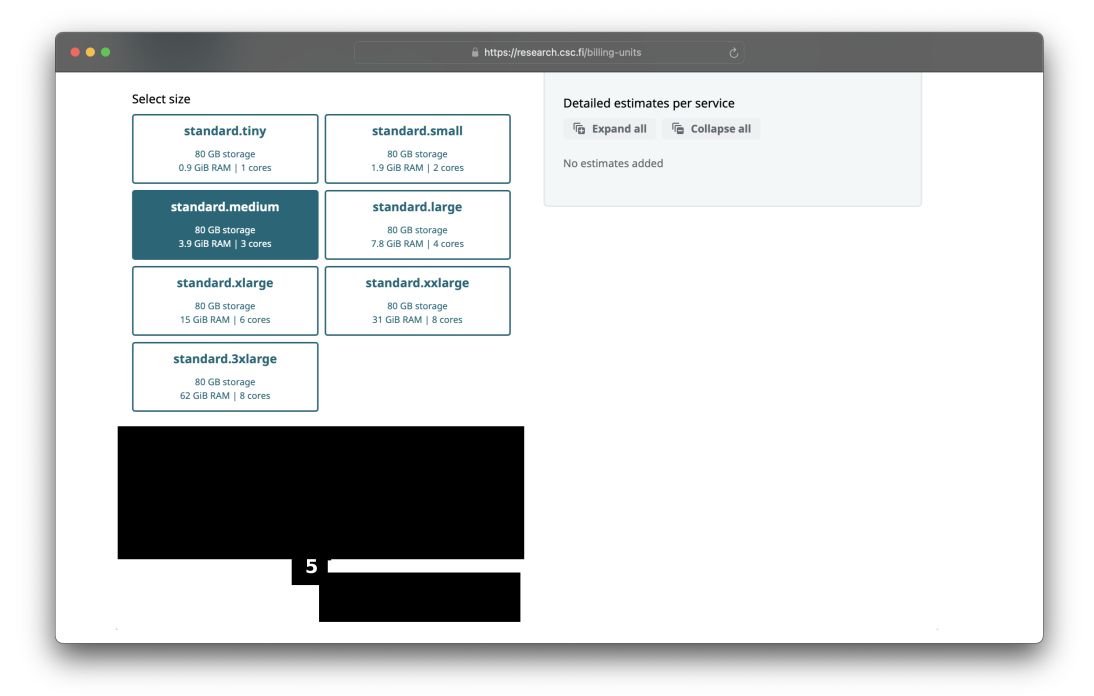
In this example, we'll configure a cPouta standard.medium flavour for one month.
Add a floating IP address and 2 TiB of storage  . After configuring your setup, press the '+ Add to estimates'
  button.
The configuration is added to the list of estimates  and details can be viewed by expanding the configuration.
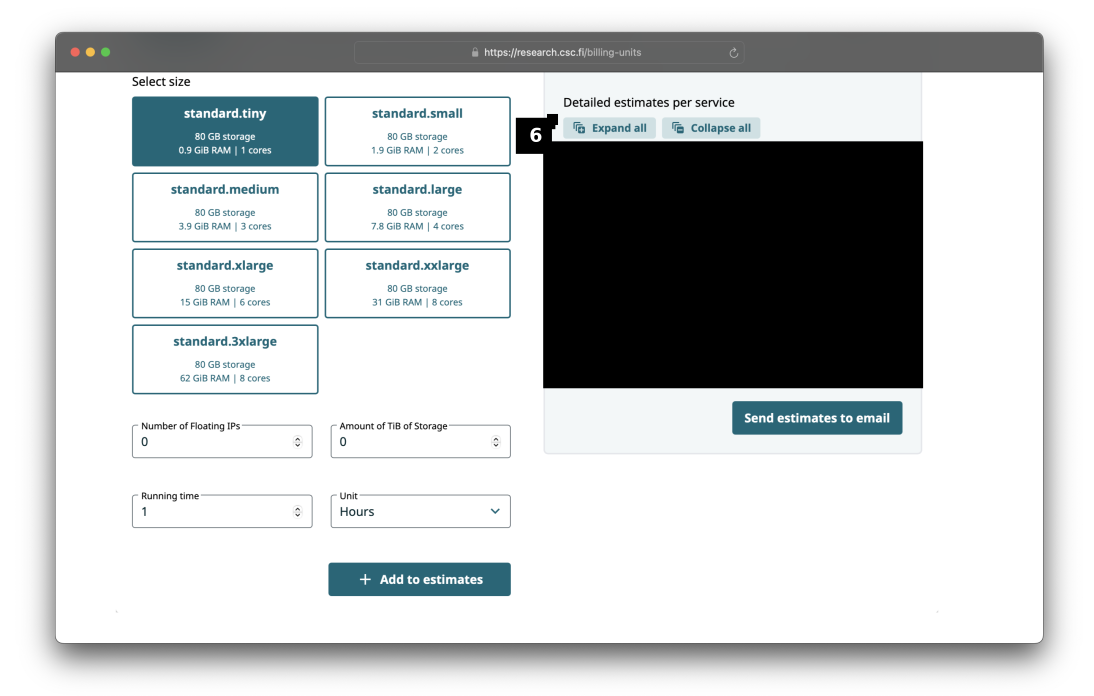
You can continue from step to add more configurations.
When you are finished, you can email the estimate to yourself if you wish.
Tip
By default, course and student projects are assigned a fixed resource of 100 000 BUs, so there is no need to apply for resource packages.
Further Learning
Here are some suggestions for what to read next: